
Introduction
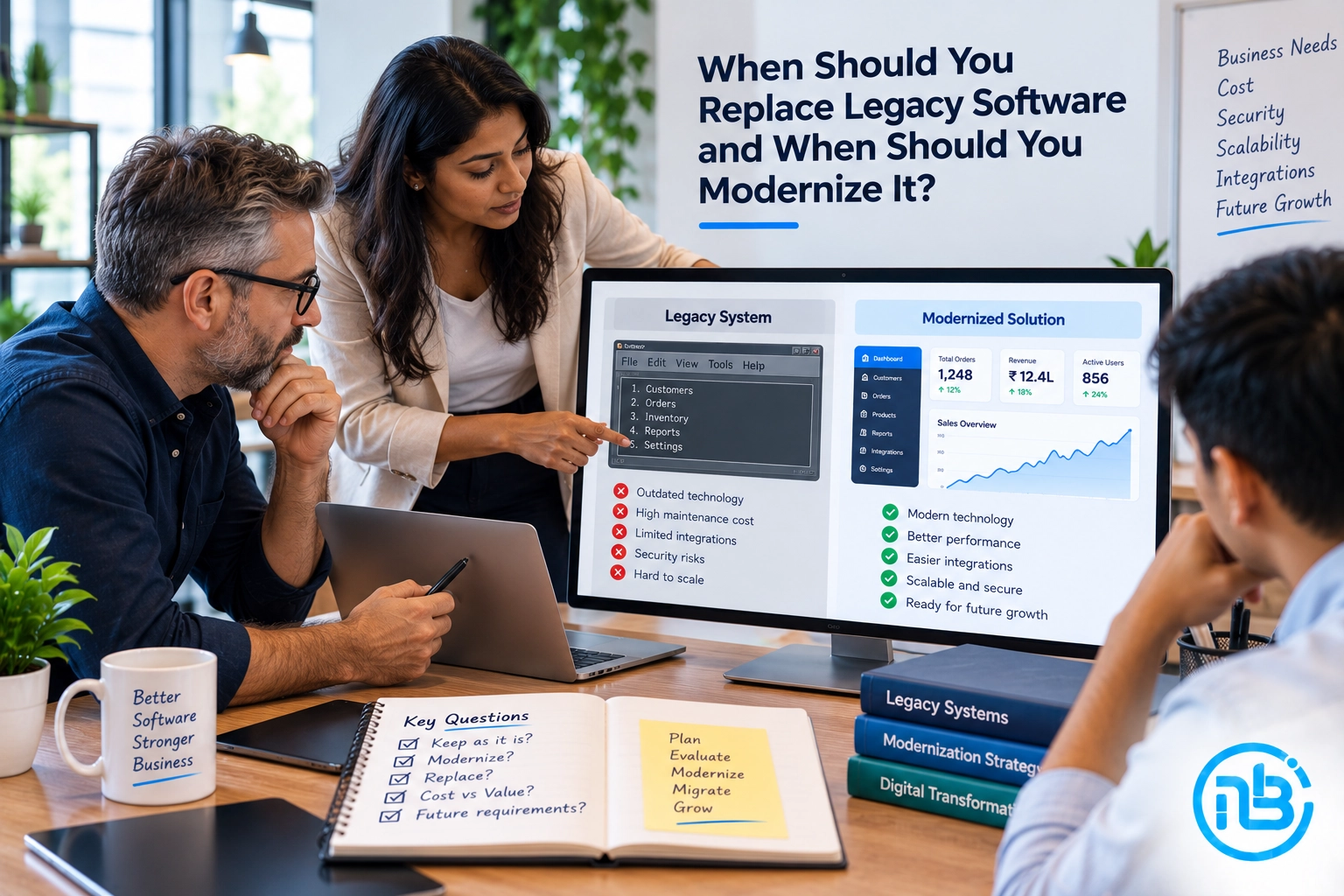
Legacy software can be one of the most difficult technology decisions for a growing business.
Your existing system may be old, difficult to maintain, and increasingly expensive to support. At the same time, it may still perform an important business function that your employees rely on every day.
So the obvious question is:
Should you replace it completely, or should you modernize what you already have?
There isn’t one answer for every business.
Sometimes modernization is the smarter approach because the existing system contains valuable business logic that would be expensive or risky to rebuild.
In other situations, continuing to invest in an outdated platform simply delays an inevitable replacement.
The right decision depends on the software’s technical condition, business importance, integration requirements, security, scalability, and the cost of continuing with the current system.
Let’s look at how to make that decision.
What Is Legacy Software?
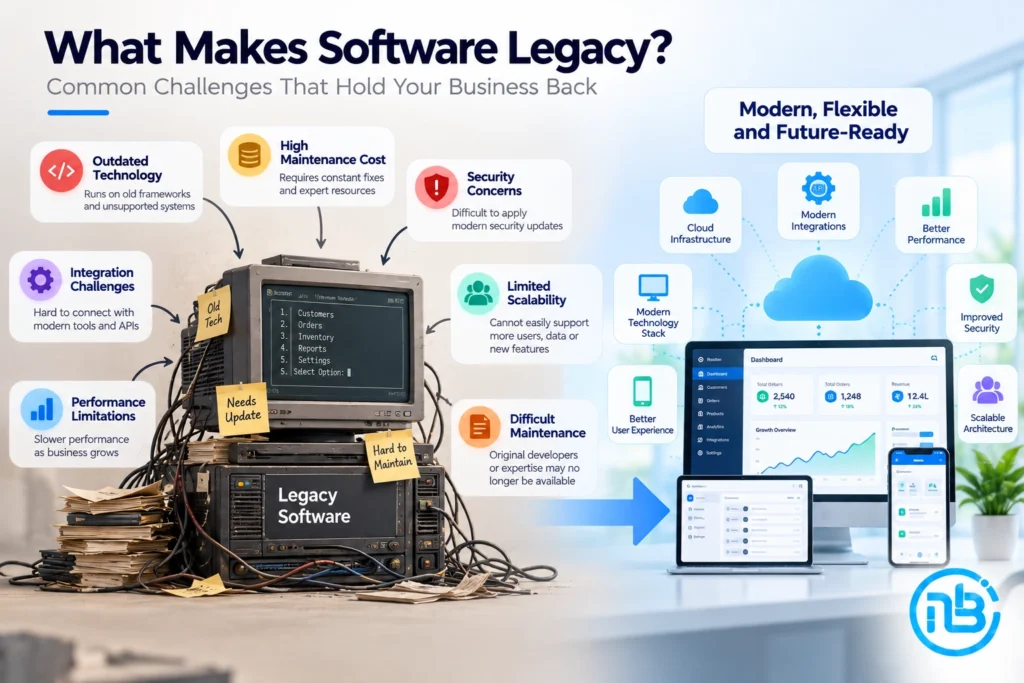
Legacy software generally refers to an older application, platform, or technology that a business still depends on but that may no longer align well with its current technical or business requirements.
A system doesn’t necessarily become “legacy” simply because it is old.
A mature application can continue to provide value for many years if it is secure, maintainable, reliable, and capable of supporting business requirements.
Legacy status becomes more of a concern when the software starts creating limitations.
For example:
- It is difficult to maintain.
- The original developers or technical expertise are no longer available.
- It runs on outdated technologies.
- Security updates are difficult to apply.
- Integrating with modern systems is complicated.
- Performance becomes unreliable as the business grows.
- Adding new features takes too much time.
- The system doesn’t work well with modern devices or platforms.
- Maintenance costs continue increasing.
This is when businesses should start evaluating their options.
Why Businesses Keep Using Legacy Software
Replacing software sounds straightforward until you understand how deeply an application may be connected to a business.
A legacy application may handle:
- Customer information
- Orders
- Inventory
- Accounting
- Internal workflows
- Employee operations
- Reports
- Third-party integrations
- Business-specific rules
- Historical records
Over the years, employees may also develop processes around the system.
That creates a common situation:
The software may be outdated, but the business still depends on it.
Replacing it without understanding those dependencies can introduce significant operational risks.
This is why a proper assessment should happen before deciding to rebuild everything.
Signs That Your Legacy Software Needs Attention
Not every old system needs immediate replacement.
However, certain warning signs indicate that it is time to seriously evaluate the platform.
1. Maintenance Is Becoming Too Expensive
If your team is spending an increasing amount of time fixing old functionality instead of improving the product, the maintenance burden may be becoming a business problem.
A system that requires constant patches, workarounds, and manual intervention can gradually consume more resources.
The important question isn’t simply:
“How much does maintenance cost?”
It is:
“What are we getting in return for that maintenance investment?”
2. New Features Take Too Long to Develop
One of the clearest warning signs is when even relatively straightforward changes require significant development effort.
Legacy architecture may make it difficult to understand how different parts of the application interact.
A small change can therefore create unexpected problems elsewhere.
If every improvement becomes a major development project, the software may be restricting business growth.
3. Security Is Becoming a Concern
Older technologies can create security challenges when they no longer receive regular updates or cannot support modern security practices.
This can become particularly concerning when the application handles:
- Customer information
- Payment-related data
- Business-critical information
- Employee information
- Confidential company data
Security shouldn’t be treated as an optional modernization feature.
If the existing architecture prevents the business from implementing appropriate security controls, replacement or modernization may become necessary.
4. The Software Cannot Integrate Easily With Modern Systems
Businesses increasingly depend on APIs, cloud services, payment gateways, analytics platforms, CRM systems, automation tools, and other third-party services.
If your existing software cannot communicate effectively with modern systems, employees may have to manually transfer information between platforms.
That creates additional work and increases the possibility of errors.
5. The Software Cannot Scale With the Business
A system may have worked perfectly when the business was smaller.
But increasing customers, transactions, employees, locations, or product volume can expose limitations that weren’t previously visible.
If performance consistently deteriorates as usage increases, the underlying architecture may need to be reconsidered.
When Should You Modernize Legacy Software?
Modernization is often appropriate when the existing software still contains valuable functionality but its underlying technology is becoming a limitation.
Instead of replacing everything, you gradually improve the system.
This can involve:
- Updating the technology stack.
- Replacing outdated components.
- Improving the database architecture.
- Introducing APIs.
- Moving selected components to the cloud.
- Improving security.
- Rebuilding the user interface.
- Automating manual workflows.
- Separating tightly coupled components.
- Introducing modern integrations.
The important point is that modernization does not necessarily mean changing everything at once.
When Modernization Makes Sense
The Existing Business Logic Is Valuable
Some applications contain years of business rules and workflows that are difficult to recreate.
If that functionality works well, completely rebuilding it may introduce unnecessary risk.
Modernization can allow the business to preserve what works while improving the technology around it.
The Core Architecture Is Still Usable
If the underlying system is reasonably structured and can be improved without rebuilding everything, modernization may provide a practical path forward.
For example, you might keep the existing backend while gradually replacing outdated components and introducing modern APIs.
The Business Needs Gradual Change
A complete replacement can be disruptive.
If the software is mission-critical, the company may not be able to stop operations while a new platform is developed.
Modernization allows improvements to happen in stages.
When Should You Replace Legacy Software?
Sometimes modernization is simply postponing the inevitable.
A complete replacement may make more sense when the existing platform has fundamental limitations that cannot reasonably be solved.
1. The Technology Is Fundamentally Outdated
If the application depends on technologies that are no longer supported or difficult to maintain, rebuilding may be more practical than continuing to patch the system.
2. The Architecture Prevents Future Development
Sometimes the problem isn’t one outdated component.
The entire architecture may make it difficult to introduce new functionality, integrations, security improvements, or scalability.
In such cases, replacing the platform can provide a cleaner foundation for future development.
3. Technical Expertise Is Difficult to Find
If only a very small number of people understand how the system works, the business may face a significant operational risk.
When experienced developers are difficult to find or expensive to retain, maintaining the system can become increasingly difficult.
4. The Cost of Modernization Is Too Close to Rebuilding
This is an important financial consideration.
If modernizing the existing application requires replacing most of its major components anyway, it may be worth comparing that investment with the cost of developing a new platform.
The decision should consider the total cost of ownership, not just the initial development budget.
Legacy Software Modernization vs Replacement
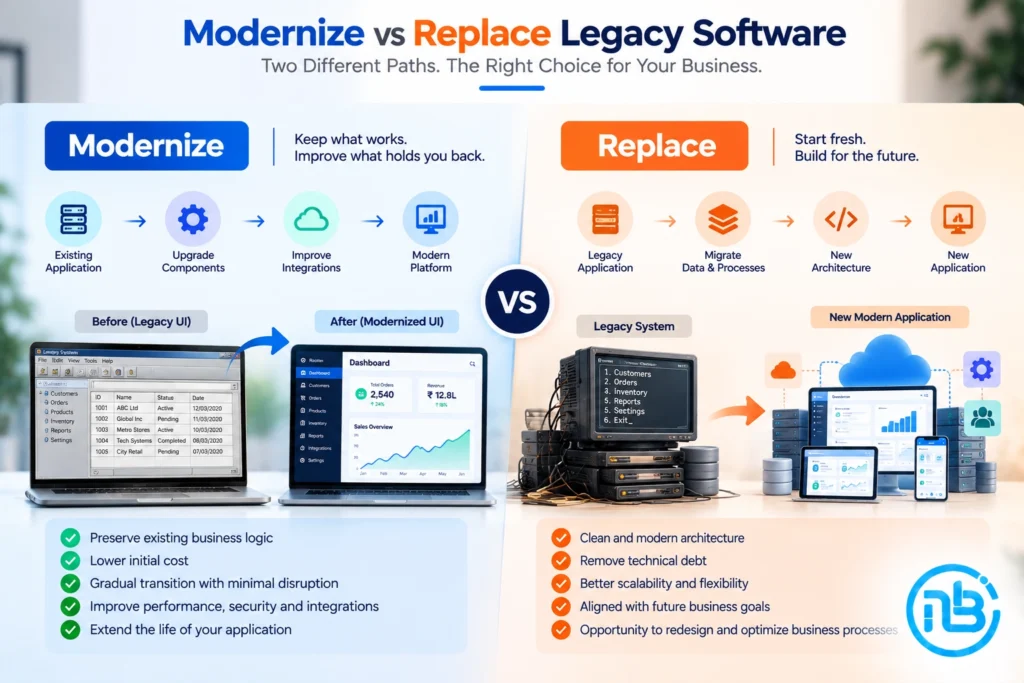
There is no universally correct option. The two approaches solve different problems.
| Factor | Modernize | Replace |
|---|---|---|
| Existing business logic | Preserve | Rebuild |
| Initial disruption | Usually lower | Usually higher |
| Development approach | Gradual | New platform |
| Existing integrations | Can be retained or improved | Usually rebuilt |
| Technical limitations | Reduced progressively | Designed around from the beginning |
| Business continuity | Easier to maintain during transition | Requires careful migration |
| Long-term flexibility | Depends on existing architecture | Greater control over new architecture |
| Risk | Spread across phases | Concentrated around migration |
The table isn’t intended to make the decision automatically.
It is a starting point for understanding the trade-offs.
How to Decide Between Modernization and Replacement
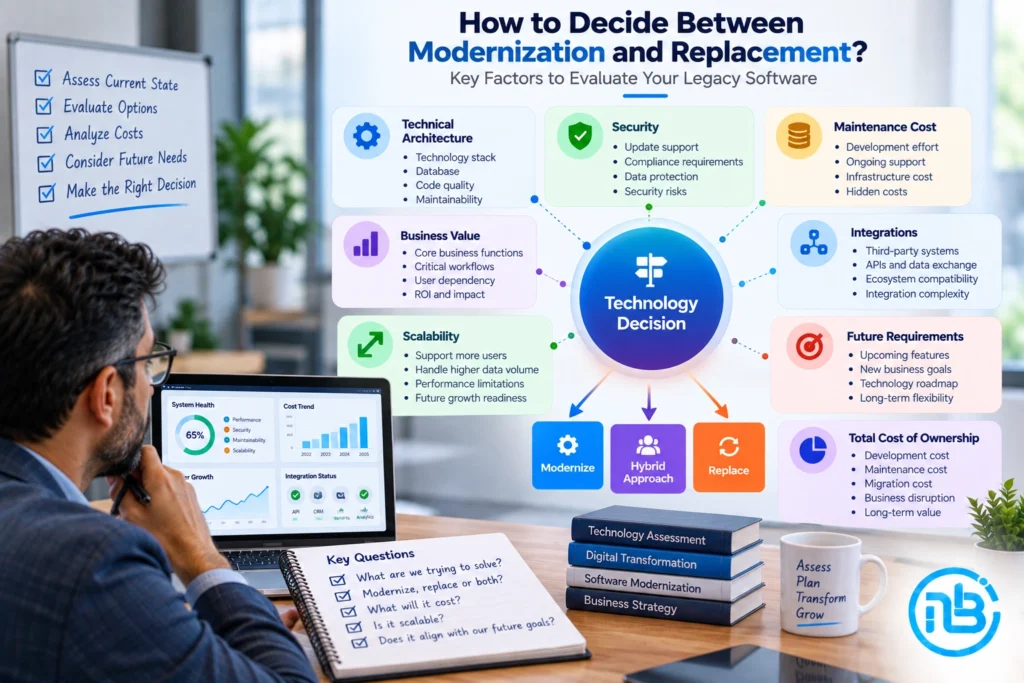
Before making a decision, evaluate the software from both a technical and business perspective.
Step 1: Understand What the Software Does
Document the application’s important functionality.
Identify:
- Core workflows
- User roles
- Data
- Integrations
- Reports
- Business rules
- External dependencies
You may discover that some functionality is no longer necessary while other parts are critical to daily operations.
Step 2: Evaluate the Technical Architecture
Review the existing:
- Programming languages
- Frameworks
- Database
- APIs
- Infrastructure
- Authentication
- Security controls
- Deployment process
- Third-party integrations
This assessment can reveal whether modernization is technically realistic.
Step 3: Calculate the Cost of Keeping It
Don’t look only at development expenses.
Consider:
- Maintenance
- Hosting
- Support
- Security work
- Manual processes
- Downtime
- Developer availability
- Integration costs
- Training
- Lost opportunities caused by slow development
Sometimes the biggest cost of legacy software isn’t the maintenance bill.
It is the business opportunities the software prevents you from pursuing.
Step 4: Identify Future Business Requirements
Ask where the business is heading.
Will you need:
- New integrations?
- Mobile applications?
- Automation?
- Better analytics?
- AI capabilities?
- More users?
- More locations?
- International expansion?
- New customer-facing features?
The answer can influence whether the existing architecture has enough room for future growth.
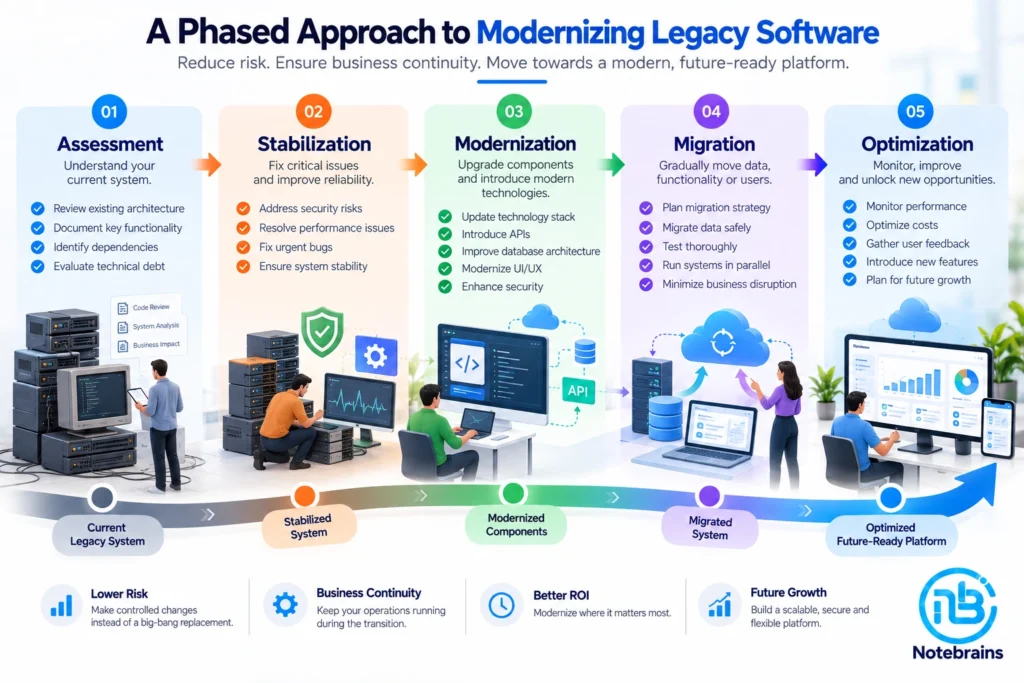
Don’t Try to Modernize Everything at Once
One of the biggest mistakes businesses make is treating modernization as a single massive project.
A phased approach can often reduce risk.
For example:
Phase 1: Assessment
Understand the existing system and identify critical dependencies.
Phase 2: Stabilization
Fix major security, performance, and reliability issues.
Phase 3: Modernization
Replace outdated components and introduce modern architecture where it provides the greatest benefit.
Phase 4: Migration
Gradually move data, functionality, or users to the improved platform.
Phase 5: Optimization
Monitor the new environment and continue improving performance, security, and usability.
This approach can allow the business to modernize without unnecessarily disrupting day-to-day operations.
What About a Complete Software Rebuild?
A rebuild can be attractive because it gives the development team a clean starting point.
You can select a modern technology stack, redesign the user experience, rethink the database architecture, and remove functionality that is no longer needed.
However, there is one major risk:
A new application can reproduce old problems if the business requirements haven’t been properly understood.
Simply rebuilding an old application using newer technology doesn’t automatically create a better product.
Before rebuilding, ask:
- Which existing features are actually used?
- Which workflows should be redesigned?
- Which features can be removed?
- What do users struggle with?
- Which business rules must be preserved?
- What new capabilities are required?
Modern technology should support a better business process, not simply replace an old codebase.
The Hybrid Approach: Modernize While Building the Future
In many situations, the most practical strategy is somewhere between full replacement and simple maintenance.
A business can keep the existing application running while gradually building new components around it.
For example:
Legacy System → API Layer → New Services → Modern Frontend
This approach can allow businesses to introduce modern functionality without immediately replacing every part of the existing platform.
Over time, individual legacy components can be retired as their replacements become ready.
This type of gradual transition can be particularly useful for business-critical applications.
Common Mistakes to Avoid
Replacing Software Simply Because It Is Old
Age alone isn’t a reason to replace a system.
If the application is secure, reliable, maintainable, and meeting business requirements, modernization may not be urgent.
Continuing to Patch a System Forever
The opposite mistake is equally common.
If every change requires another workaround, continuing to patch the system may become more expensive than addressing the underlying architecture.
Ignoring Users
Employees who use the software every day often understand its strengths and weaknesses better than anyone else.
Their feedback should be part of the modernization or replacement process.
Focusing Only on Technology
The objective isn’t to use the newest framework.
The objective is to create a system that is secure, maintainable, scalable, and aligned with business needs.
Underestimating Data Migration
Data migration can be one of the most complicated parts of replacing legacy software.
Before committing to a new platform, understand the quality, structure, volume, and dependencies of your existing data.
A Practical Decision Framework
Before deciding what to do with your legacy software, ask these questions:
Is the current software still delivering business value?
If yes, modernization may be worth considering.
Is the technology becoming a security or operational risk?
If yes, action should be prioritized.
Can the existing architecture support future requirements?
If yes, gradual modernization may be possible.
Would modernization require replacing most of the system anyway?
If yes, a complete replacement may deserve serious consideration.
Can the business afford operational disruption?
If not, a phased modernization or hybrid transition may be more appropriate.
The goal isn’t to find the newest technology.
The goal is to choose the technology strategy that gives the business a sustainable path forward.
Frequently Asked Questions
Legacy software is an older application or technology that a business still relies on but that may no longer align with its current technical or business requirements. Age alone doesn’t make software legacy; maintainability, security, scalability, and business relevance are also important.
It depends on the condition of the existing system and the business’s future requirements. Modernization may make sense when valuable functionality and architecture can be preserved. Replacement may be more appropriate when the existing platform has fundamental technical or architectural limitations.
Increasing maintenance costs, security concerns, slow development, poor integrations, performance issues, and difficulty scaling are common indicators that a system should be evaluated for modernization.
A complete replacement can require significant investment, particularly when data migration, integrations, user training, and business continuity are involved. However, the cost should be compared with the long-term cost and limitations of continuing with the existing system.
Yes. Depending on the architecture, businesses can modernize individual components, introduce APIs, improve the database, replace the frontend, upgrade infrastructure, or gradually migrate functionality.
There is no standard timeline. It depends on the size and complexity of the application, technical debt, integrations, data, security requirements, and the scope of modernization. A technical assessment is usually the best starting point for creating a realistic roadmap.
Conclusion
Replacing legacy software isn’t always the answer.
Sometimes the existing system contains valuable business logic and workflows that are worth preserving. In those situations, modernization can extend the life of the platform while gradually bringing it closer to modern technical and business requirements.
But modernization shouldn’t become an excuse for endlessly maintaining a system that fundamentally limits the business.
If the architecture is preventing innovation, security improvements, integrations, scalability, or efficient development, a replacement may ultimately be the more practical path.
The best decision starts with understanding what you already have, what your business needs today, and where you want the business to go next.
At Notebrains, we help businesses evaluate existing software, identify modernization opportunities, and plan custom software solutions around their actual business requirements. Whether the right approach is modernization, phased migration, or a complete rebuild, the first step is understanding the system before deciding its future.