
Quick Takeaways
Before diving deeper, here are the key points every decision-maker should know.
- Enterprise WordPress is not a different version of WordPress, it’s a different way of architecting, deploying, and managing it.
- Large organizations choose WordPress because it combines flexibility with enterprise-grade scalability.
- Security, governance, workflows, integrations, and performance are just as important as the CMS itself.
- Enterprise WordPress can power global websites serving millions of users when built with the right infrastructure.
- Modern enterprise deployments rely on cloud hosting, CDN, caching, CI/CD pipelines, and proactive monitoring.
- Choosing the right implementation partner is often more important than choosing the CMS itself.
Introduction
Ask someone what WordPress is, and there’s a good chance they’ll describe it as a blogging platform or a content management system for small businesses. That perception is understandable, but it’s no longer accurate.
Today, WordPress powers some of the world’s largest digital platforms, including enterprise websites, media publications, universities, government portals, healthcare organizations, and global brands serving millions of visitors every month.
Modern enterprises aren’t looking for a platform that just publishes content. They need a digital ecosystem that can support multiple teams, integrate with business applications, handle large volumes of traffic, maintain strict security standards, and evolve as business requirements change.
That’s exactly where Enterprise WordPress stands apart. Enterprise WordPress isn’t defined by the number of pages on a website or the size of the organization using it. It’s defined by the architecture behind it.
An enterprise implementation combines WordPress with cloud infrastructure, advanced security, performance optimization, content governance, automated deployment pipelines, and deep integrations with systems such as CRMs, ERPs, analytics platforms, and identity providers.
The result is a platform capable of supporting business-critical operations while remaining flexible enough to evolve alongside the organization.
This guide explores what Enterprise WordPress really means, how it differs from a standard WordPress website, and why organizations continue to trust it as the foundation for their digital presence.
What is Enterprise WordPress?
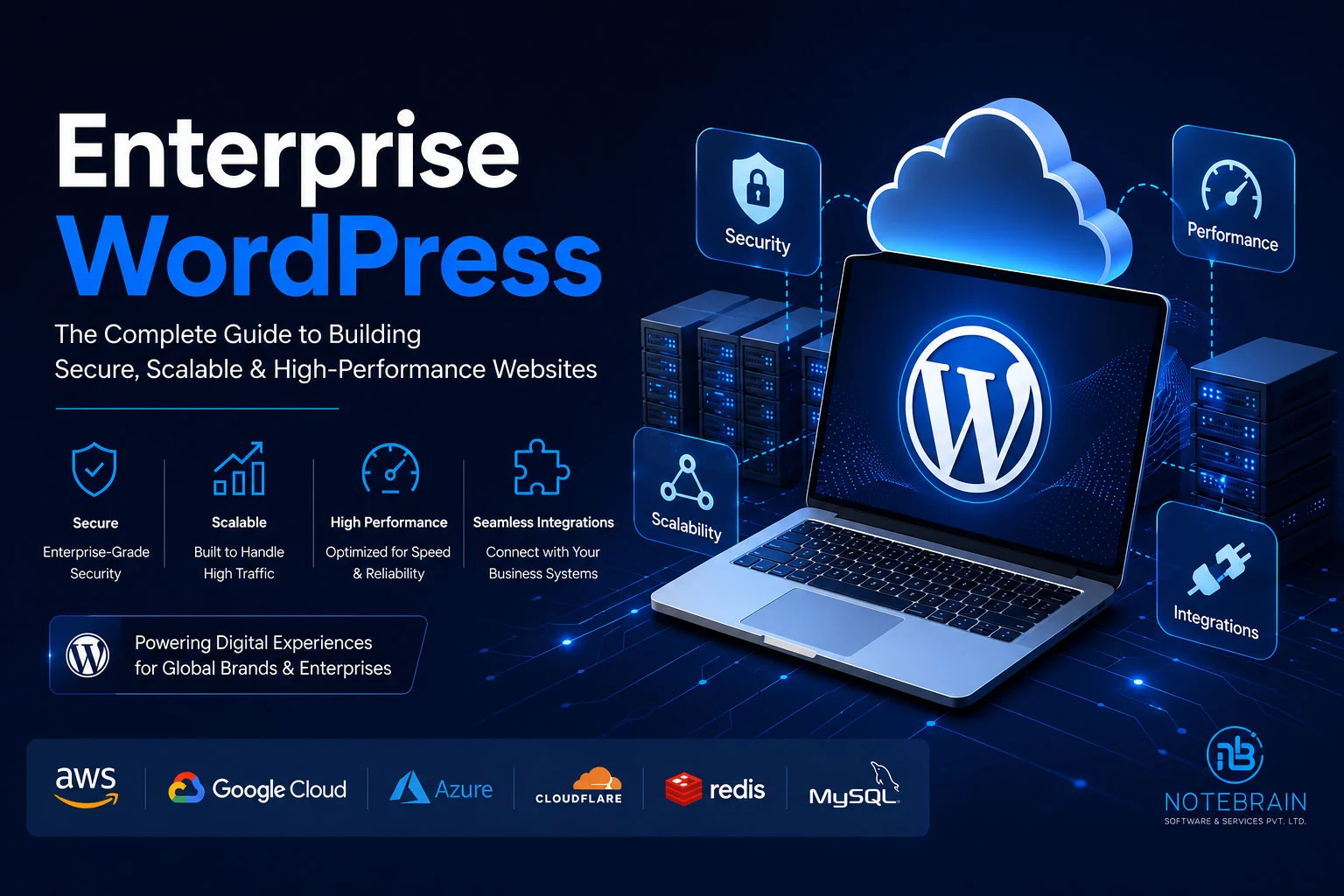
Enterprise WordPress isn’t a premium edition or a separate product. It’s an architectural approach to using WordPress for organizations with demanding technical and operational requirements. At its core, WordPress remains the same open-source content management system trusted by millions of websites around the world. What changes is everything surrounding it.
Instead of running on a single shared hosting account with a handful of plugins, Enterprise WordPress is designed with scalability, resilience, governance, and long-term maintainability in mind.
Think of it this way.
A standard WordPress website is like a well-designed office building. It works perfectly for a growing business with a single team.
Enterprise WordPress is more like a corporate headquarters.
It supports multiple departments, follows strict security protocols, includes backup systems, provides controlled access to different teams, and continues operating efficiently even when thousands of people rely on it every day.
The foundation is the same, but the architecture is built for a completely different level of responsibility.
An Enterprise WordPress solution typically includes:
- High-availability cloud infrastructure
- Advanced caching layers
- Content Delivery Networks (CDNs)
- Enterprise-grade security
- Workflow approvals
- Role-based permissions
- Continuous monitoring
- Automated backups
- Disaster recovery planning
- API-driven integrations with business systems
These capabilities transform WordPress from a simple CMS into a platform capable of supporting complex digital ecosystems.
Enterprise WordPress at a Glance
| Standard WordPress | Enterprise WordPress |
| Single website | Multiple websites and digital properties |
| Basic user roles | Advanced governance and permissions |
| Shared hosting | Cloud-native infrastructure |
| Manual updates | Automated deployment pipelines |
| Limited integrations | Enterprise APIs and business systems |
| Standard caching | Multi-layer performance optimization |
| Plugin-based workflows | Enterprise publishing workflows |
Key Takeaway
Enterprise WordPress isn’t about changing WordPress—it’s about surrounding it with the infrastructure, security, and governance required to support mission-critical business operations.
Why Large Organizations Choose WordPress
Choosing a Content Management System (CMS) is no longer just an IT decision. It’s a strategic business decision that affects marketing, operations, security, customer experience, and long-term digital growth.
For enterprise organizations, the CMS must do much more than publish content. It should support thousands of pages, multiple business units, complex workflows, integrations with enterprise systems, and large teams working simultaneously.
This is one of the key reasons why WordPress continues to be a preferred choice for many large organizations. Let’s explore why.
1. Flexibility Without Vendor Lock-in
One of the biggest advantages of WordPress is its open-source nature.
Unlike proprietary enterprise CMS platforms, WordPress doesn’t lock businesses into a single vendor or ecosystem. Organizations have complete control over their source code, hosting environment, integrations, and future roadmap.
This flexibility allows enterprises to:
- Build custom workflows
- Develop proprietary functionality
- Integrate with existing business applications
- Migrate infrastructure when needed
- Scale without changing platforms
For growing businesses, this translates into greater control over both technology and long-term costs.
2. Scalability That Grows With Your Business
A common misconception is that WordPress is only suitable for small websites. In reality, WordPress is capable of supporting millions of monthly visitors when paired with enterprise-grade infrastructure.
Scalability isn’t achieved by WordPress alone, it’s achieved through the architecture surrounding it.
A typical Enterprise WordPress deployment may include:
- Cloud infrastructure
- Load balancers
- Auto-scaling servers
- Redis Object Cache
- CDN
- Database optimization
- Image optimization
- Monitoring tools
Together, these components allow WordPress to handle traffic spikes without affecting the user experience.
Whether you’re launching a nationwide marketing campaign or expecting increased traffic during seasonal events, the platform can be designed to scale with demand.
3. Lower Total Cost of Ownership (TCO)
Enterprise CMS platforms often require significant licensing costs before development even begins.
With WordPress, organizations can invest their budget in areas that directly improve business outcomes, such as user experience, integrations, performance optimization, and custom development, instead of paying recurring licensing fees.
This often results in a lower Total Cost of Ownership (TCO), especially for organizations planning continuous digital improvements over several years.
It’s one of the reasons WordPress appeals to both startups and Fortune 500 companies alike.
4. Strong Ecosystem and Community Support
WordPress benefits from one of the largest development communities in the world.
For enterprise organizations, this means:
- Continuous platform improvements
- Regular security updates
- Extensive documentation
- Access to experienced developers
- Long-term platform stability
Instead of relying on a niche ecosystem, organizations benefit from a mature platform backed by a global community.
Pro Tip
Enterprise success isn’t determined by the CMS alone. It’s determined by how well the CMS integrates with your business processes, infrastructure, and long-term digital strategy.
Enterprise WordPress Architecture
A standard WordPress website usually consists of a web server, a database, and a theme.
Enterprise WordPress introduces several additional layers designed to improve security, scalability, performance, and resilience.
Instead of relying on a single server, the platform becomes a distributed system capable of supporting thousands, or even millions of users.

A modern Enterprise WordPress architecture typically includes the following layers:
Customer Layer
This is where users access your website. They may arrive through:
- Desktop browsers
- Mobile devices
- Tablets
- Mobile applications
- Internal employee portals
Every request begins here.
Content Delivery Network (CDN)
Rather than serving every request directly from your server, static assets such as images, JavaScript, CSS, and fonts are delivered through a CDN. Benefits include:
- Faster page loading
- Reduced server load
- Improved global performance
- Better protection against traffic spikes
Web Application Firewall (WAF)
Before requests reach your application, they pass through a security layer. The WAF helps block:
- SQL Injection
- Cross-Site Scripting (XSS)
- Malicious bots
- DDoS attacks
- Brute-force login attempts
This acts as the first line of defense for your platform.
Load Balancer
Instead of directing all traffic to a single server, a load balancer distributes requests across multiple application servers. This improves:
- High availability
- Fault tolerance
- Horizontal scalability
If one server becomes unavailable, traffic is automatically redirected to healthy servers.
WordPress Application Layer
This is where WordPress itself runs. In enterprise environments, it’s common to deploy multiple WordPress application servers working together rather than relying on a single instance.
This architecture improves both reliability and scalability.
Caching Layer
Caching significantly reduces the number of database queries and server-side processing required to generate pages. Enterprise environments commonly use:
- Redis Object Cache
- Full-page caching
- Edge caching
- Browser caching
These layers work together to improve response times while reducing infrastructure costs.
Database Layer
The database stores:
- Content
- Users
- Settings
- Metadata
- Configuration
Enterprise deployments often include:
- Database replication
- Automated backups
- High-availability clusters
- Performance optimization
This ensures data remains available even during infrastructure failures.
Enterprise Integrations

Finally, WordPress connects with business systems through secure APIs. Common integrations include:
- CRM
- ERP
- Marketing Automation
- Identity Providers (SSO)
- Payment Gateways
- Analytics Platforms
- HRMS
- Customer Support Systems
This transforms WordPress from a standalone CMS into the central hub of a digital ecosystem.
Key Takeaway
Enterprise WordPress isn’t simply “a bigger WordPress website.”
It’s an ecosystem where infrastructure, security, performance, governance, and integrations work together to deliver reliable digital experiences at scale.
How Enterprise WordPress Works

To better understand the architecture, let’s follow a typical visitor journey.
Imagine a customer visiting your website during the launch of a new product. Instead of sending every request directly to WordPress, the platform follows a carefully designed process.
Step 1 – Customer Requests a Page
The visitor opens your website from a browser or mobile device.
The request first reaches the CDN, which delivers cached assets whenever possible.
Step 2 – Security Validation
If dynamic content is required, the request passes through the Web Application Firewall.
Malicious traffic is filtered before it reaches your application servers.
Step 3 – Load Distribution
The load balancer determines which application server is best positioned to process the request.
This ensures no single server becomes overloaded.
Step 4 – WordPress Generates Content
If the page isn’t already cached, WordPress retrieves the required content from the database, processes business logic, and prepares the response.
Step 5 – Optimized Delivery
The completed page is cached and delivered back to the user.
Future visitors requesting the same content often receive it directly from the cache, reducing server load and improving response times.
Enterprise WordPress vs Standard WordPress

One of the most common questions we hear is: “Isn’t Enterprise WordPress just WordPress with a better hosting plan?”
The short answer is no.
While both use the same core software, the way they’re designed, managed, and maintained is fundamentally different.
A standard WordPress website is usually built to serve a single business website with a relatively small team of administrators and editors.
Enterprise WordPress, on the other hand, is designed to support large organizations where multiple departments, hundreds of users, strict security policies, complex integrations, and high traffic volumes are part of everyday operations.
The CMS remains the same. The architecture, governance, and operational strategy do not.
| Feature | Standard WordPress | Enterprise WordPress |
| Hosting | Shared / VPS | Cloud Infrastructure (AWS, Azure, GCP) |
| Traffic Handling | Moderate | Millions of Monthly Visitors |
| Security | Basic | Enterprise-grade Security & Compliance |
| Caching | Standard Plugins | Multi-layer Caching + CDN |
| User Management | Basic Roles | Advanced RBAC, SSO & Approval Workflows |
| Deployment | Manual | Automated CI/CD Pipelines |
| Integrations | Limited | ERP, CRM, HRMS, Marketing & Analytics |
| Monitoring | Basic | 24×7 Monitoring & Alerting |
| Scalability | Vertical | Horizontal + Auto Scaling |
| Disaster Recovery | Manual | Automated Backup & Recovery |
The comparison highlights an important point:
Enterprise WordPress isn’t about adding more plugins.
It’s about building a platform that can support business growth for years without becoming difficult to manage.
Benefits of Enterprise WordPress
Enterprise organizations don’t choose WordPress because it’s inexpensive. They choose it because, when implemented correctly, it provides the flexibility and scalability needed to support long-term digital growth.
Here are the benefits that matter most.
1. Built to Scale
Growth is rarely predictable. A successful campaign, product launch, or media mention can bring thousands or even millions of visitors within hours.
Enterprise WordPress is designed with scalability in mind. Instead of relying on a single server, traffic is distributed across multiple application servers while caching and CDNs reduce the load on the infrastructure.
This ensures your platform continues performing even during periods of unusually high demand.
2. Enterprise-Grade Security
Security is no longer optional. Enterprise websites often handle customer information, internal documentation, marketing assets, and business-critical content.
A secure Enterprise WordPress environment typically includes:
- Web Application Firewall (WAF)
- Multi-Factor Authentication (MFA)
- Role-Based Access Control (RBAC)
- Daily Backups
- Malware Scanning
- Continuous Security Monitoring
- SSL Encryption
- Security Audits
- Vulnerability Management
Security becomes part of the architecture, not an afterthought.
3. Better Content Governance
Publishing content becomes increasingly challenging as organizations grow.
Marketing teams, legal departments, compliance officers, translators, and business stakeholders may all be involved before content goes live.
Enterprise WordPress supports structured publishing workflows that include:
- Draft creation
- Editorial review
- Legal approval
- Scheduled publishing
- Version history
- Audit trails
This helps maintain quality while reducing publishing errors.
4. Seamless Enterprise Integrations
Modern organizations rely on dozens of interconnected systems.
An enterprise website rarely operates independently. Common integrations include:
- Salesforce
- SAP
- Microsoft Dynamics
- HubSpot
- Zoho CRM
- Oracle ERP
- Microsoft 365
- Google Workspace
- Mailchimp
- Marketo
By connecting these systems through secure APIs, businesses reduce manual work and improve operational efficiency.
5. Multi-site Management
Large organizations often manage multiple websites simultaneously. Examples include:
- Country-specific websites
- Regional offices
- Brand websites
- Product microsites
- Franchise portals
- Employee intranets
WordPress Multisite or enterprise multi-instance architectures allow centralized management while giving each website its own identity.
This reduces operational complexity without sacrificing flexibility.
6. Improved Performance
Performance affects far more than user experience.
It influences:
- SEO
- Customer satisfaction
- Conversion rates
- Bounce rates
- Accessibility
- Infrastructure costs
Enterprise WordPress combines multiple optimization techniques, including:
- Edge Caching
- Redis Object Cache
- Image Optimization
- Lazy Loading
- CDN
- Database Optimization
- Code Minification
Together, these create consistently fast experiences for users across the globe.
7. Lower Long-Term Costs
Enterprise CMS platforms often involve significant licensing fees before implementation even begins.
WordPress allows organizations to invest more of their budget into improving the actual digital experience rather than paying recurring platform licensing costs.
Combined with its large ecosystem and development community, this often results in a lower Total Cost of Ownership (TCO) over time.
Key Takeaway
Enterprise WordPress isn’t simply a content management system—it’s a digital platform that supports marketing, operations, customer experience, and business growth from a single foundation.
Enterprise Security

For enterprise organizations, security is one of the most important considerations when selecting a CMS.
The question is no longer: “Is WordPress secure?”
The better question is: “Can WordPress be secured to meet enterprise standards?”
The answer is yes, provided it’s implemented and managed correctly.
Just as a secure office building depends on more than a strong front door, a secure WordPress platform relies on multiple layers working together.
Network Security
The first layer protects traffic before it reaches the website. This includes:
- Cloudflare
- AWS WAF
- Azure Web Application Firewall
- DDoS Protection
- Rate Limiting
Application Security
The WordPress application itself should follow secure development practices. Examples include:
- Secure coding standards
- Plugin reviews
- Theme validation
- Regular security updates
- Least-privilege access
Identity & Access Management
Controlling who can access the platform is critical. Enterprise websites commonly implement:
- Single Sign-On (SSO)
- Multi-Factor Authentication (MFA)
- Role-Based Permissions
- LDAP Integration
- SAML Authentication
These systems simplify user management while improving security.
Data Protection
Protecting data is just as important as protecting the application. Best practices include:
- Database encryption
- Secure backups
- Disaster recovery planning
- Secure cloud storage
- Backup verification
Real-World Example
Imagine a global manufacturing company with offices in five countries.
- Their marketing team publishes product updates daily.
- Regional offices manage localized content.
- The HR department maintains career pages.
- The sales team integrates lead forms with Salesforce.
- The ERP synchronizes product availability.
Despite hundreds of users working simultaneously, every action follows defined approval workflows, role-based permissions, and automated security monitoring.
That isn’t achieved by installing more plugins. It’s achieved through Enterprise WordPress architecture.
Enterprise Hosting Options

Your hosting environment plays a crucial role in the success of an Enterprise WordPress platform. While WordPress itself is highly capable, the infrastructure behind it determines how well it performs under heavy traffic, handles security threats, and scales as your business grows.
Rather than relying on traditional shared hosting, enterprise deployments are typically built on cloud infrastructure that provides redundancy, monitoring, automated backups, and high availability.
Common enterprise hosting options include:
- Amazon Web Services (AWS) – Ideal for organizations requiring flexibility, scalability, and global infrastructure.
- Microsoft Azure – Popular among enterprises already invested in the Microsoft ecosystem.
- Google Cloud Platform (GCP) – Known for strong networking, analytics, and AI capabilities.
- WP Engine – Managed WordPress hosting designed for businesses and enterprise websites.
- WordPress VIP – Enterprise-grade managed WordPress platform with advanced governance and security.
- Pantheon – Suitable for organizations managing multiple WordPress websites with structured development workflows.
The right hosting platform depends on your technical requirements, expected traffic, compliance needs, and internal IT capabilities.
Enterprise WordPress Technology Stack
Building an enterprise website involves much more than installing WordPress. Every layer of the technology stack contributes to performance, security, scalability, and maintainability.
| Layer | Recommended Technologies |
| CMS | WordPress |
| Frontend | Gutenberg, React.js, Next.js (Headless) |
| Hosting | AWS, Azure, Google Cloud, WP Engine |
| Web Server | NGINX, Apache |
| Database | MySQL, MariaDB |
| Caching | Redis, Object Cache, Full Page Cache |
| CDN | Cloudflare, Fastly, AWS CloudFront |
| Search | Elasticsearch, Algolia |
| Security | Cloudflare WAF, AWS WAF, Wordfence Enterprise |
| Monitoring | New Relic, Datadog, Sentry |
| CI/CD | GitHub Actions, GitLab CI, Bitbucket Pipelines |
| Analytics | Google Analytics 4, Microsoft Clarity, Matomo |
The objective isn’t to use every tool listed above. Instead, select technologies that align with your business goals and operational requirements.
Best Practices for Enterprise WordPress
Successful enterprise websites aren’t built by accident. They follow well-defined processes and architectural principles that support long-term growth.
Here are the practices we recommend.
Start with Strategy
Technology should support business objectives. Before selecting themes, plugins, or hosting, define:
- Business goals
- User personas
- Content strategy
- Integration requirements
- Growth roadmap
A clear strategy reduces costly redevelopment later.
Build Modular Components
Rather than creating unique templates for every page, develop reusable content blocks and components. This approach:
- Improves consistency
- Reduces development effort
- Simplifies maintenance
- Accelerates future updates
Establish Governance
Enterprise websites often involve multiple departments and contributors. Define:
- Publishing workflows
- User permissions
- Content ownership
- Review processes
- Approval policies
Good governance helps maintain quality and reduces publishing errors.
Prioritize Performance from Day One
Performance shouldn’t be treated as a post-launch optimization. Consider performance during:
- UI/UX design
- Development
- Image creation
- Content production
- Infrastructure planning
Small improvements at each stage can have a significant impact on the final user experience.
Plan for Growth
Ask yourself:
- Can the platform support ten times today’s traffic?
- Can it accommodate additional websites?
- Can new business systems be integrated easily?
Designing with growth in mind helps protect your investment over the long term.
Common Mistakes to Avoid
Even large organizations sometimes underestimate the complexity of enterprise digital platforms. Avoiding these common mistakes can save considerable time, cost, and frustration.
“Treating Enterprise WordPress Like a Standard Website”
An enterprise platform requires careful planning, governance, infrastructure, and ongoing maintenance.
Simply installing additional plugins won’t create an enterprise-ready solution.
Choosing Plugins Without Evaluation
Every plugin introduces potential security, maintenance, and performance considerations. Before installation, evaluate:
- Developer reputation
- Update frequency
- Security history
- Performance impact
- Long-term support
Quality is always more important than quantity.
Ignoring Performance Until Launch
Performance should be monitored throughout development, not just before going live.
Regular testing helps identify bottlenecks early and ensures a smoother launch.
Neglecting Security Reviews
Enterprise security is an ongoing process.
Regular audits, penetration testing, vulnerability assessments, and software updates should become part of your operational routine.
Common Mistake
Many organizations spend months designing a beautiful website but very little time planning how it will be managed after launch. A successful enterprise platform is just as much about governance and operations as it is about design and development.
The Future of Enterprise WordPress

Enterprise digital experiences continue to evolve rapidly.
Several trends are already reshaping how organizations use WordPress.
AI-Assisted Content Management
Artificial Intelligence is helping editorial teams:
- Generate content drafts
- Improve SEO
- Recommend internal links
- Personalize user experiences
- Translate content
Headless WordPress
More organizations are adopting headless architectures to combine WordPress’s editorial capabilities with modern frontend frameworks such as React.js and Next.js.
Composable Digital Experience Platforms
Businesses increasingly prefer selecting the best technology for each function rather than relying on a single monolithic platform.
Enterprise WordPress integrates naturally into this composable approach.
Personalization
Websites are becoming more adaptive, delivering content based on user behavior, location, industry, or previous interactions.
Stronger Automation
Publishing workflows, marketing campaigns, customer journeys, and integrations will continue becoming more automated, reducing manual effort while improving operational efficiency.
How We Build Enterprise WordPress Solutions at Notebrains
At Notebrains, we believe Enterprise WordPress is far more than website development—it’s about building digital platforms that support long-term business growth.
Every project begins with understanding your business objectives, operational workflows, technical environment, and future roadmap. Rather than applying a one-size-fits-all solution, we design architectures tailored to your organization’s requirements.
Our team focuses on:
- Enterprise website architecture
- Custom WordPress development
- API integrations
- Performance optimization
- Cloud deployment
- Security hardening
- Multi-site implementations
- Ongoing maintenance and support
Whether you’re modernizing an existing platform or building a new enterprise digital experience, our goal is to deliver solutions that remain secure, scalable, and maintainable for years to come.
Frequently Asked Questions
Enterprise WordPress is an architectural approach to building WordPress websites that prioritize scalability, security, governance, performance, and enterprise integrations.
Yes. With the right infrastructure and implementation, WordPress can successfully support large organizations, government institutions, universities, publishers, and global brands.
The core CMS remains the same. Enterprise implementations include advanced hosting, security, governance, performance optimization, and business integrations.
Yes. Using cloud infrastructure, load balancing, caching, and CDN technologies, Enterprise WordPress can support millions of monthly visitors.
When properly configured and maintained, Enterprise WordPress can meet enterprise security requirements through layered security, role-based access, continuous monitoring, and proactive maintenance.
Absolutely. It integrates with CRMs, ERPs, identity providers, marketing platforms, payment gateways, analytics tools, and many other enterprise systems.
It depends on your business goals. If you require complete frontend flexibility, omnichannel experiences, or highly customized interfaces, a headless architecture may be worth considering. Otherwise, a traditional enterprise implementation may provide everything you need.
Final Thoughts
Enterprise WordPress has evolved far beyond its origins as a blogging platform. Today, it serves as the foundation for sophisticated digital ecosystems that power global brands, educational institutions, publishers, healthcare organizations, and enterprise businesses.
The platform’s greatest strength lies not only in its flexibility but also in its ability to adapt to changing business needs. Whether you’re managing multiple websites, integrating with enterprise systems, supporting global audiences, or planning for future growth, WordPress provides a foundation that can evolve alongside your organization.
The real difference between a standard WordPress website and an Enterprise WordPress platform isn’t the CMS itself, it’s the architecture, planning, governance, and expertise behind it.
Choosing the right implementation partner is therefore just as important as choosing the technology.
When strategy, infrastructure, and development work together, Enterprise WordPress becomes more than a content management system. It becomes a powerful digital platform that helps organizations deliver exceptional online experiences while supporting long-term business growth.
Ready to Build an Enterprise WordPress Platform?
Whether you’re planning a digital transformation, modernizing an existing website, or launching a new enterprise platform, success starts with the right strategy.
At Notebrains, we help organizations design, develop, and optimize Enterprise WordPress solutions that are secure, scalable, and built for the future. From architecture planning and custom development to cloud deployment, integrations, and ongoing support, we work as a technology partner focused on delivering measurable business outcomes.
If you’re exploring Enterprise WordPress for your organization, we’d be happy to help you evaluate the right approach and build a platform that grows with your business.