
Introduction
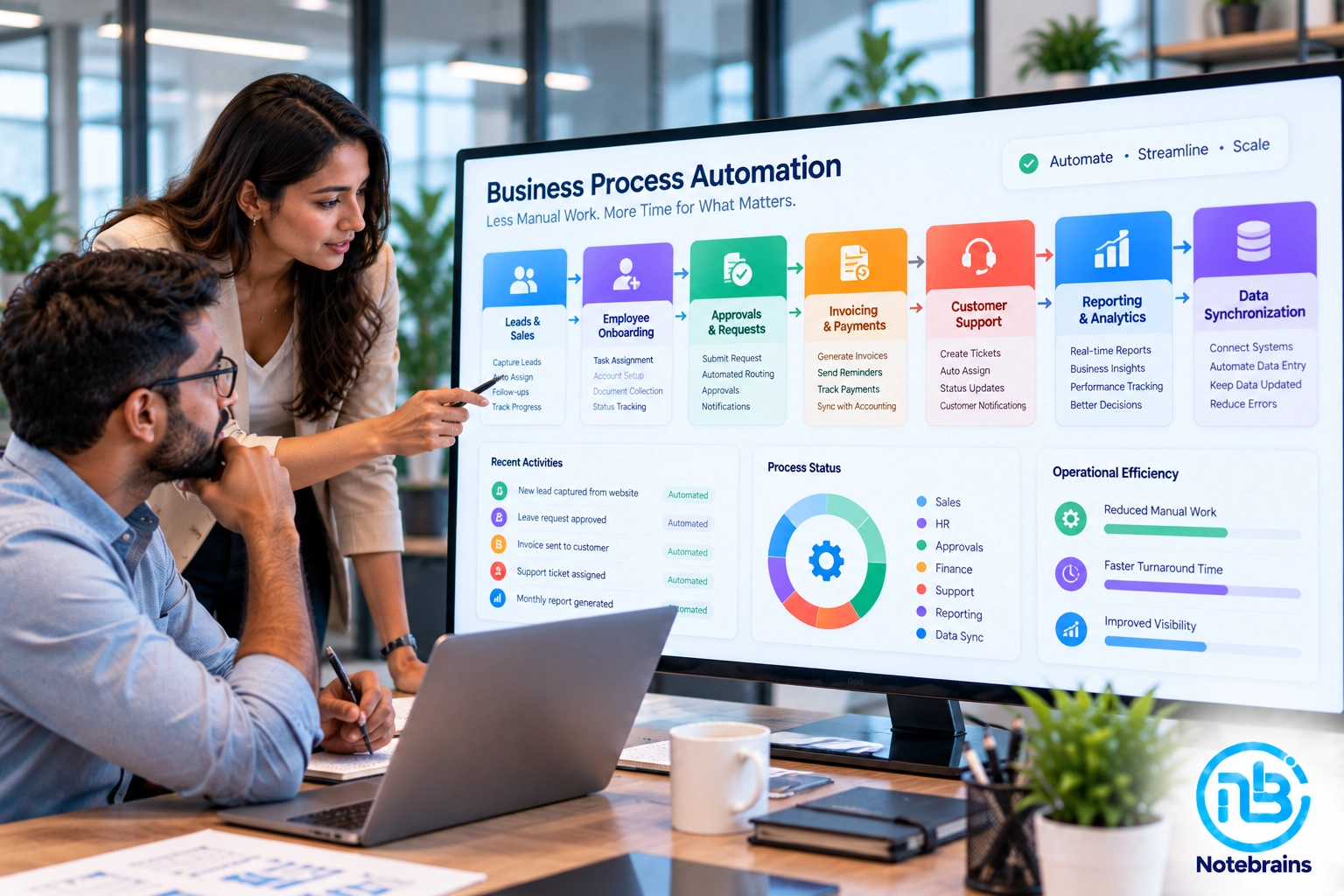
Business process automation doesn’t have to mean transforming your entire company overnight.
For many SMEs, the biggest improvements can come from automating a handful of repetitive tasks that employees perform every day.
Think about how much time your team spends sending follow-up emails, preparing reports, entering data, requesting approvals, creating invoices, updating spreadsheets, or checking whether someone has completed a task.
Individually, these activities may seem small. Collectively, they can consume hundreds of hours and create unnecessary opportunities for human error.
The good news is that you don’t need to automate everything. The smartest approach is to identify the processes that are repetitive, rule-based, time-consuming, and important enough to affect the business.
Here are seven business processes SMEs should consider automating first.
What Is Business Process Automation?
Business process automation means using software to perform repetitive business tasks with limited manual intervention.
Instead of an employee manually moving a process from one step to another, the software can trigger the next action automatically.
For example:
New Customer → Create CRM Record → Assign Salesperson → Send Notification → Schedule Follow-Up
Or:
Approved Request → Create Task → Notify Operations → Update Status → Generate Report
Automation can involve:
- Workflow software
- CRM systems
- ERP platforms
- APIs
- Custom web applications
- Email automation
- Accounting software
- AI tools
- Integration platforms
The technology can vary. The objective is the same:
Make routine business processes faster, more consistent, and less dependent on manual intervention.
Why SMEs Should Start With Small Automation Projects
Large automation projects can become expensive and complicated very quickly. An SME doesn’t necessarily need a complete digital transformation program to start seeing benefits.
Instead, identify one process that causes a significant amount of repetitive work. Automate it.
Measure the outcome. Then move to the next process. This approach has several advantages:
- Lower initial investment
- Faster implementation
- Easier employee adoption
- Lower operational risk
- Clearer ROI
- Better understanding of what should be automated next
The goal is not to automate everything. The goal is to automate the right things first.
1. Lead Management and Follow-Ups
Sales is one of the best places for SMEs to begin automation. A typical lead management process may involve:
Lead Received → Lead Assigned → Initial Contact → Follow-Up → Proposal → Negotiation → Won/Lost
Without automation, employees may need to manually assign leads, update CRM records, send reminders, and track follow-ups.
A CRM workflow can automate many of these steps.
What You Can Automate
- Lead assignment
- Follow-up reminders
- Email notifications
- Lead status updates
- Sales task creation
- Inactive lead alerts
- Proposal follow-ups
- Customer communication
For example, when a new lead arrives through your website, the system can automatically create a CRM record, assign it to the appropriate salesperson, and create a follow-up task.
The salesperson can then focus on the conversation rather than administrative work.
2. Employee Onboarding and Internal Requests
Employee onboarding often involves several departments.
- HR may collect documents.
- IT may create accounts.
- Managers may assign responsibilities.
- Finance may need payroll information.
Without automation, this can become an email-heavy process. A workflow can turn onboarding into a structured sequence.
Example
New Employee Added
↓
HR completes employee information
↓
IT receives account setup task
↓
Manager receives onboarding checklist
↓
Required documents are collected
↓
Employee receives relevant information
↓
Onboarding marked complete
Each department sees only the tasks relevant to them. This approach can reduce missed steps and give HR and management better visibility.
3. Invoice and Payment Processes
Finance processes are another strong candidate for automation. Businesses often spend significant time creating invoices, sending reminders, checking payment status, and updating records.
Depending on the accounting system, you may be able to automate:
- Invoice generation
- Invoice delivery
- Payment reminders
- Recurring invoices
- Payment status updates
- Internal notifications
- Accounting record synchronization
For example:
Order Completed → Invoice Generated → Customer Notified → Payment Status Tracked
If payment isn’t received within the defined period, the system can trigger a reminder automatically. This reduces the need for employees to maintain manual reminder lists.
4. Approval Workflows
Approval processes are particularly suitable for automation because they usually follow clear rules.
Examples include:
- Leave requests
- Purchase requests
- Expense claims
- Discounts
- Quotations
- Refunds
- Vendor approvals
- Project requests
Instead of:
Employee → Email → Manager → Reply → Spreadsheet → Finance
you can create:
Request → Automated Routing → Approval → Action
The system can automatically determine who should receive the request based on predefined rules.
It can also record:
- Who submitted it
- Who approved it
- When it was approved
- Whether it was rejected
- Why it was rejected
- What happened afterward
This creates better accountability and visibility.
5. Customer Support and Service Requests
Customer support often involves repetitive questions and routine tasks. Automation can help manage the workflow before a support employee even begins working on the issue.
For example:
Customer Request → Ticket Created → Category Assigned → Priority Determined → Team Assigned
You can automate:
- Ticket creation
- Ticket assignment
- Status notifications
- Customer acknowledgements
- Escalation alerts
- Follow-up reminders
- FAQ responses
- Resolution notifications
AI can also be introduced later to classify tickets, summarize conversations, or suggest responses.
The important point is that automation doesn’t have to remove human support. It can help your support team spend more time on problems that actually require human attention.
6. Reporting and Data Collection
Many SMEs still spend hours preparing reports manually.
Someone collects information from:
- CRM
- ERP
- Accounting software
- Spreadsheets
- Project management tools
Then combines everything into another spreadsheet. This is a perfect opportunity for automation.
Instead, information can be collected automatically and displayed through dashboards. For example, management might have access to:
- Sales performance
- Outstanding invoices
- Project status
- Customer activity
- Operational workload
- Inventory status
- Lead pipeline
The report becomes something management can access when needed rather than something an employee has to prepare from scratch every week.
7. Repetitive Data Entry and Synchronization
One of the most overlooked automation opportunities is simply moving information from one system to another.
For example:
Website → CRM
CRM → ERP
ERP → Accounting
eCommerce → Inventory
Accounting → Reporting
If employees repeatedly copy information between systems, there’s a good chance an integration can eliminate at least some of that work.
APIs, webhooks, middleware, and custom integrations can allow systems to communicate automatically. This is particularly valuable when your business uses multiple specialized applications.
How to Decide What to Automate First
You shouldn’t choose an automation project simply because the technology is available. Evaluate your processes based on several factors.
Frequency
How often does the task happen?
A process performed every day may provide more automation value than something that happens once a month.
Time
How much employee time does the process consume?
A small task repeated hundreds of times can become a significant cost.
Repetition
Does the process follow predictable rules?
Highly repetitive processes are usually easier to automate.
Error Risk
Does manual work frequently result in mistakes?
If errors create financial or operational problems, automation can provide additional value.
Business Impact
Does the process affect customers, revenue, cash flow, or employee productivity?
Processes with direct business impact should generally receive higher priority.
A Simple Automation Priority Framework
You can evaluate each process using four questions:
- How often does it happen?
- How much manual effort does it require?
- How expensive are errors?
- How important is it to the business?
A process that scores highly across these areas is usually a strong automation candidate.
For example, manually assigning every incoming lead may take only a few minutes each time.
But when it happens continuously, delays follow-ups, and causes leads to be missed, automation can have a meaningful business impact.
Don’t Automate a Bad Process
One of the biggest mistakes SMEs make is automating a process without first reviewing it. Imagine your existing process is:
Employee → Spreadsheet → Email → Manager → Spreadsheet → Finance → Email
You could automate every one of these steps. But you might simply create a faster version of an unnecessarily complicated process.
Before automating, ask:
- Can any steps be removed?
- Can approvals be simplified?
- Can information be captured once?
- Can two systems be integrated?
- Does every approval add value?
- Can the process be standardized?
Sometimes process improvement should come before automation.
Should SMEs Buy Automation Software or Build Custom Solutions?
There isn’t one answer.
Use Existing Automation Tools When
- Your process is relatively standard.
- A suitable integration already exists.
- Your requirements are straightforward.
- You don’t need extensive customization.
Consider Custom Development When
- Your workflow is unique.
- Multiple systems need to communicate.
- Existing tools cannot handle your business rules.
- You need specialized permissions or approval logic.
- The process is strategically important.
- You need complete control over the application.
A custom web application can bring several processes into a single workflow rather than forcing employees to switch between multiple tools.
Where AI Fits Into Business Automation
AI can make automation more intelligent, but not every automation task needs AI. Traditional automation works particularly well when the rules are predictable.
For example:
Invoice Paid → Update Status → Send Confirmation
AI becomes more useful when the system needs to interpret information or make recommendations.
For example:
- Classifying customer enquiries
- Summarizing documents
- Extracting information from invoices
- Predicting customer behavior
- Prioritizing leads
- Detecting unusual transactions
- Generating reports
- Recommending next actions
A practical automation strategy often combines both:
Rules-based automation + AI where intelligence is actually required.
How to Start Your Automation Journey
You don’t need a huge automation roadmap to get started.
Follow a simple process.
Step 1: List Repetitive Processes
Talk to employees and identify tasks they perform repeatedly.
Step 2: Identify the Biggest Bottlenecks
Find processes causing delays, errors, or unnecessary administrative work.
Step 3: Select One High-Value Process
Choose a process that is important enough to produce measurable results.
Step 4 — Map the Workflow
Document every step, including exceptions.
Step 5: Simplify It
Remove unnecessary steps before building automation.
Step 6: Choose the Right Technology
Decide whether you need an existing tool, integration, custom application, or AI.
Step 7: Test With Real Users
Run the automation with a small group before expanding it.
Step 8: Measure the Results
Track things such as:
- Time saved
- Errors reduced
- Faster response
- Employee adoption
- Customer experience
Then decide what to automate next.
The Goal Isn’t More Automation
It’s easy to get carried away with automation. But more automation doesn’t automatically mean a better business.
The real objective is to create an operation where employees spend less time on repetitive administrative work and more time on activities that require judgment, creativity, communication, and decision-making. The best automation is often invisible.
- A customer submits a request.
- The right employee receives it.
- The relevant information appears automatically.
- The approval reaches the right manager.
- The accounting system gets updated.
- The customer receives a notification.
Nobody has to manually move information from one system to another. That’s what effective business process automation looks like.
Frequently Asked Questions
Start with processes that are repetitive, time-consuming, rule-based, and important to the business. Lead management, approvals, invoicing, reporting, customer support, employee onboarding, and data synchronization are common starting points.
It depends on the process and technology involved. Some workflows can be automated using existing tools and integrations, while more complex processes may require custom software development. Starting with one high-value workflow can keep the initial investment manageable.
Yes. Many business applications provide APIs or integrations that allow automation workflows to communicate with them. Where native integrations aren’t sufficient, custom integration can be developed.
No. The primary goal is usually to reduce repetitive administrative work so employees can focus on higher-value activities. Human oversight can remain part of the workflow where judgment is required.
AI can be valuable when a process requires interpretation, classification, prediction, summarization, or recommendations. For straightforward rule-based tasks, traditional automation may be simpler and more reliable.
Start by identifying repetitive processes and measuring the time, errors, and delays they create. Choose one high-value workflow, simplify it, automate it, measure the result, and then expand gradually.
Conclusion
Business process automation doesn’t need to be a massive transformation project.
For an SME, some of the biggest improvements can come from automating everyday activities that employees already spend significant time performing.
Start with lead management, approvals, invoicing, reporting, support, onboarding, or repetitive data entry. But don’t automate blindly.
First understand the process and remove unnecessary steps.
Then decide whether an existing automation platform, software integration, custom web application, or AI solution is the right approach.
The goal isn’t to automate as many processes as possible.
It’s to create a business where technology handles repetitive work reliably, while your people focus on work that actually requires them.
At Notebrains, we help businesses identify automation opportunities and turn manual workflows into connected digital processes through custom web applications, software integrations, APIs, and AI-powered solutions.
The right automation doesn’t just save time. It changes how efficiently your business can operate and scale.