
Introduction
ERP for SMEs is often discussed as a natural step in business growth. As a company expands, founders begin hearing that they need an ERP system to manage operations, finance, inventory, purchasing, employees, and reporting from one platform.
But does every growing business actually need an ERP?
Not necessarily.
Many small and medium-sized enterprises operate successfully with a combination of accounting software, spreadsheets, CRM platforms, and specialized business applications. Introducing an ERP too early can create unnecessary costs, implementation challenges, and operational complexity.
On the other hand, continuing with disconnected systems for too long can create serious problems.
Information gets duplicated. Reports become difficult to prepare. Departments work with different versions of the same data. Management struggles to understand what’s happening across the business.
The real question isn’t whether ERP is good or bad.
It’s whether your current business operations have reached a point where an integrated system would provide more value than the investment required.
Let’s understand how to make that decision.
What Is an ERP System?
ERP stands for Enterprise Resource Planning.
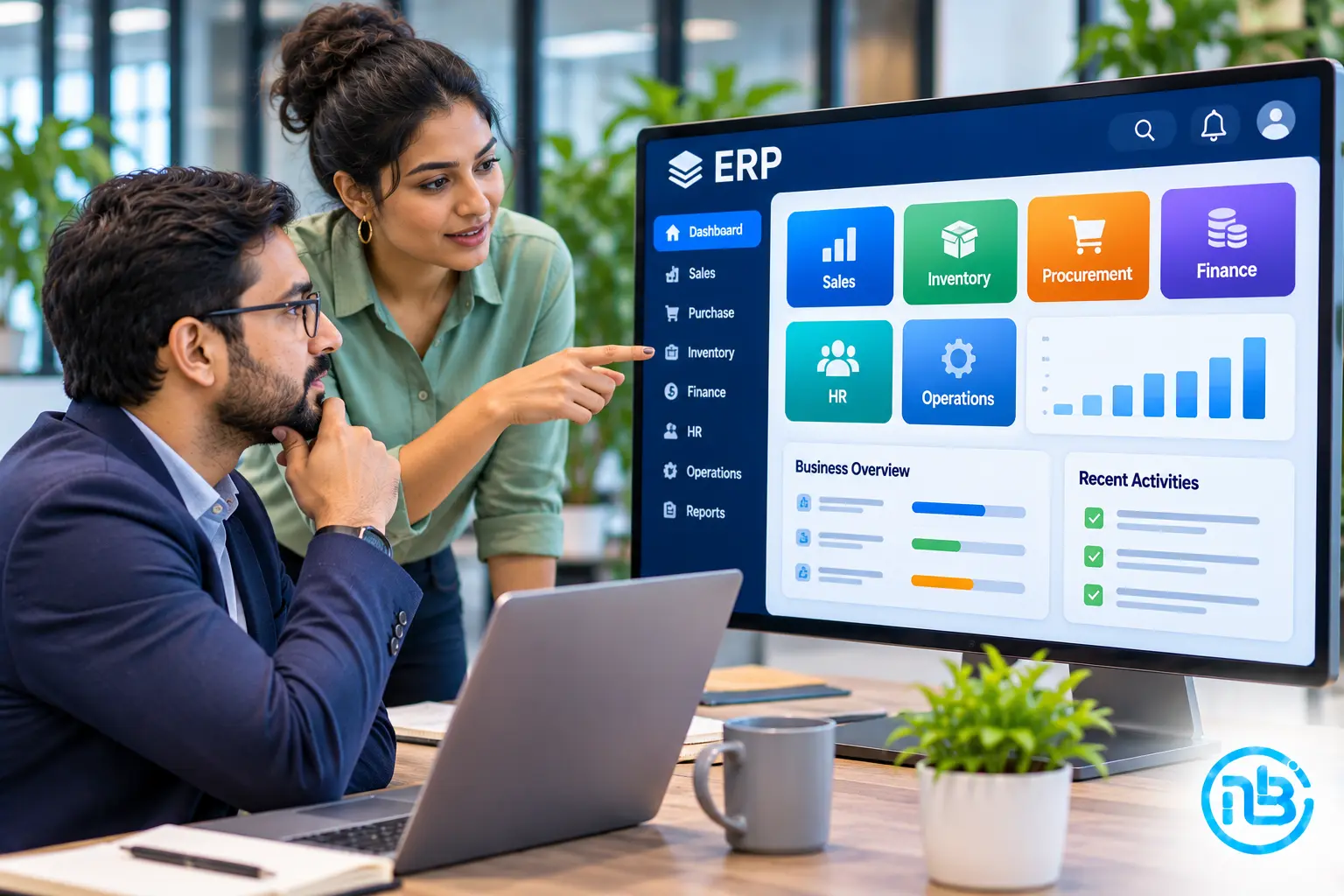
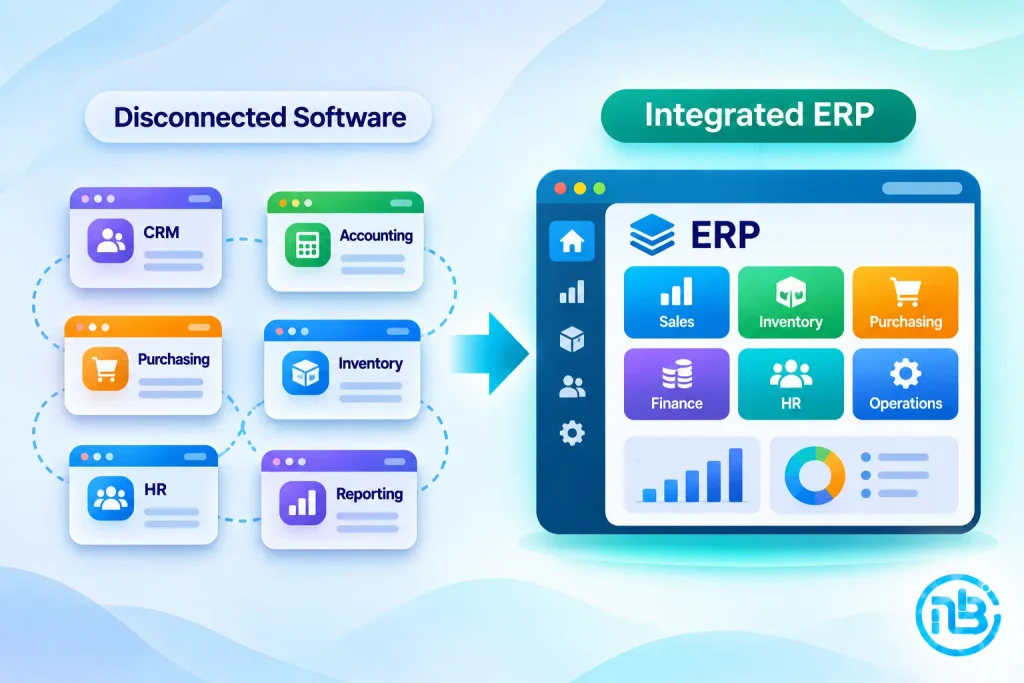
An ERP system is business software that connects multiple departments and operational processes through a centralized platform.
Instead of maintaining separate systems for different activities, an ERP allows relevant information to flow between departments.
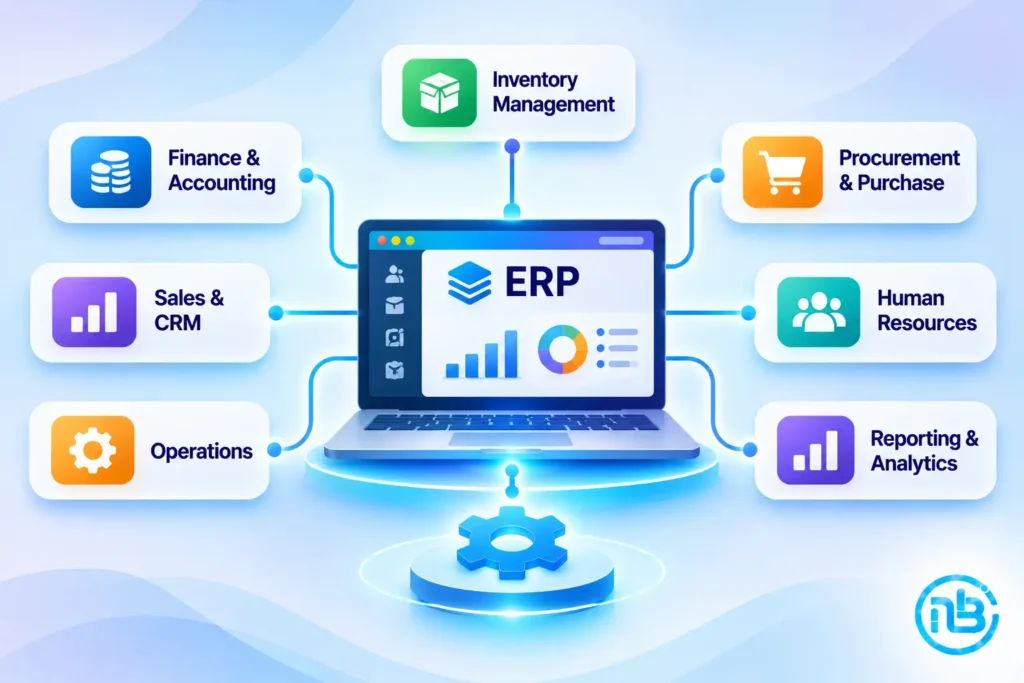
For example, a typical ERP may include:
- Finance and accounting
- Inventory management
- Purchase management
- Sales and order management
- Human resource management
- Customer information
- Production planning
- Reporting and analytics
Consider a manufacturing business.
When the sales team confirms an order, the ERP can make the information available to inventory and production teams. The purchasing department can identify material shortages, while finance can access the relevant order and billing information.
The objective is to create a connected business environment where departments work with consistent information.
However, not every SME needs all these modules.
The right ERP should support the processes your business actually uses.
Why SMEs Often Consider ERP Too Early
ERP systems are commonly associated with large organizations.
As a result, some founders assume that implementing an ERP is an essential milestone for becoming a mature business.
This can lead to unnecessary investment.
For example, a small service-based company with a straightforward sales process, limited employee count, and simple accounting requirements may not need a full ERP.
A CRM, accounting platform, project management tool, and a few integrations might be sufficient.
An ERP becomes more relevant when managing separate systems starts creating more problems than it solves.
The important thing is to understand the difference between growing business requirements and unnecessary software complexity.
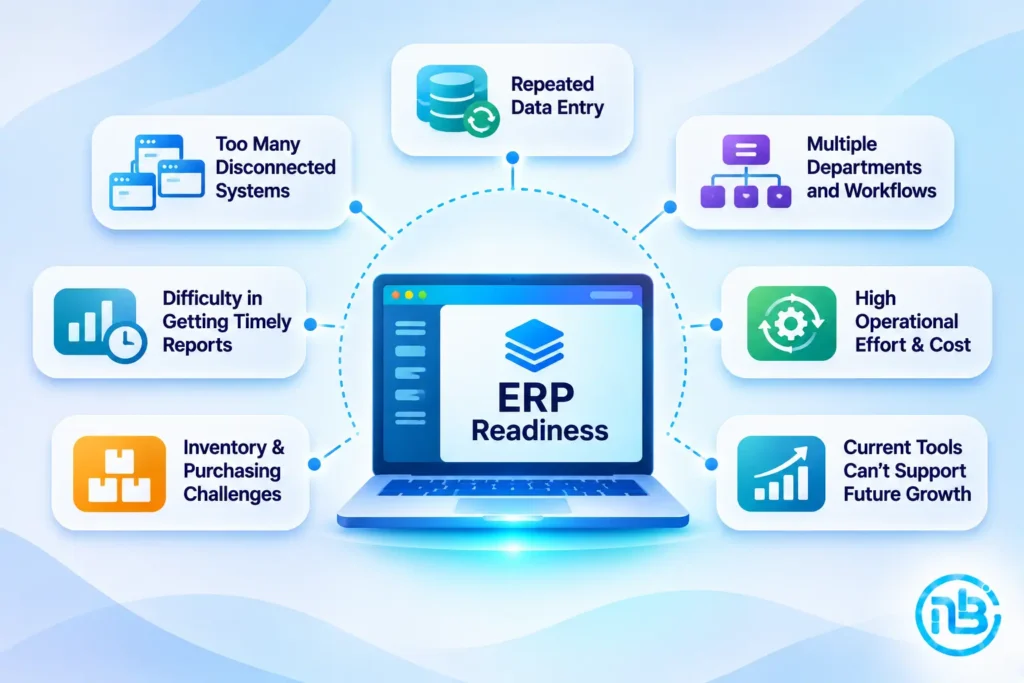
7 Signs Your SME May Need an ERP System
How do you know when your existing tools are no longer sufficient?
Here are some practical signs.
1. You’re Managing Too Many Disconnected Systems
One of the clearest indicators is when different departments depend on different applications that don’t communicate with each other.
For example:
- Sales maintains customer information in a CRM.
- Finance uses separate accounting software.
- Operations maintains spreadsheets.
- Inventory is tracked through another application.
- Management collects information manually for reporting.
The problem isn’t necessarily that you have multiple applications.
The problem is that employees repeatedly transfer information between them.
An ERP can bring many of these processes together and reduce unnecessary manual work.
2. You’re Repeatedly Entering the Same Information
Imagine a customer places an order.
The sales team enters the information into the CRM. Finance enters it again into accounting software. Operations creates another record in its spreadsheet.
This creates additional work and increases the possibility of errors.
An integrated ERP can allow information to be captured once and made available to authorized departments.
3. Management Cannot Get Accurate Reports Quickly
Founders need reliable information to make business decisions.
However, if preparing a report requires collecting data from multiple employees and applications, management may not have a clear picture of the business.
An ERP can provide consolidated reporting for areas such as:
- Revenue
- Expenses
- Outstanding payments
- Inventory
- Purchase orders
- Sales performance
- Operational activity
This makes it easier to monitor business performance without relying entirely on manually prepared reports.
4. Inventory and Purchasing Are Becoming Difficult to Manage
This is particularly relevant for trading, distribution, manufacturing, and eCommerce businesses.
As the number of products, suppliers, and orders increases, manual inventory management becomes difficult.
You may experience:
- Incorrect stock information
- Delayed purchase decisions
- Duplicate purchase orders
- Stock shortages
- Excess inventory
- Difficulty tracking product movement
An ERP with inventory and purchasing modules can help centralize these activities.
5. Your Business Has Multiple Departments With Interdependent Workflows
As a business grows, departments become more interconnected.
For example:
Sales → Operations → Procurement → Finance → Management
A change in one department may affect several others.
If these dependencies are managed through emails, phone calls, and spreadsheets, delays and communication gaps become more likely.
An ERP can create structured workflows between departments.
6. Manual Processes Are Increasing Operational Costs
Sometimes the biggest problem isn’t the cost of software.
It’s the cost of employees spending hours on repetitive administrative work.
Think about the time spent:
- Preparing reports
- Checking inventory
- Updating records
- Following up on purchase orders
- Reconciling information
- Preparing invoices
- Collecting departmental updates
When these activities become frequent, automation can provide meaningful operational savings.
7. Your Existing Software Cannot Support Future Growth
Your current applications may work perfectly well today but become restrictive as the business expands.
You may need:
- Additional users
- Multiple branches
- Complex approval workflows
- Better reporting
- Advanced inventory management
- Multi-location operations
- More integrations
- Centralized access controls
If your existing tools cannot support these requirements effectively, an ERP may become a sensible investment.
When Your SME Probably Doesn’t Need an ERP Yet
It’s equally important to recognize when ERP implementation isn’t necessary.
Consider the following situations.
Your Business Has Simple Operational Requirements
If your business has limited departments, straightforward processes, and manageable transaction volumes, existing software may be sufficient.
Your Current Applications Already Work Well Together
You don’t necessarily need to replace everything with an ERP if your CRM, accounting software, and operational tools already communicate effectively.
Integrations may solve the problem at a much lower cost.
You Don’t Have Standardized Business Processes
An ERP cannot automatically fix poorly defined processes.
If employees follow different procedures for the same activity, implementing an ERP may create confusion rather than efficiency.
Standardize the workflows first.
Your Business Cannot Justify the Investment
ERP implementation involves more than purchasing a software license.
You may also need to invest in:
- Implementation
- Customization
- Data migration
- Employee training
- Integrations
- Infrastructure
- Ongoing support
If the expected operational benefits don’t justify these costs, it may be better to wait.
You’re Considering ERP Simply Because Competitors Use It
Your software decisions should be based on your own operational requirements.
A competitor’s technology stack isn’t necessarily suitable for your business.
ERP vs CRM vs Accounting Software: What’s the Difference?
Founders sometimes confuse these systems because they share certain features.
However, they serve different primary purposes.
| Software | Primary Purpose | Typical Use |
|---|---|---|
| CRM | Customer and sales management | Leads, opportunities, customer relationships |
| Accounting Software | Financial management | Invoices, expenses, payments, tax records |
| ERP | Integrated business management | Finance, inventory, purchasing, operations, and more |
For example, a CRM helps the sales team manage customer relationships.
Accounting software helps finance manage financial transactions.
An ERP connects multiple business functions so that relevant information can flow across the organization.
There can be some overlap between these platforms, and modern business applications increasingly offer combined functionality.
The right choice depends on what your business needs to manage.
What Should an SME Look for in an ERP?
If you’ve identified a genuine need for ERP, the next challenge is choosing the right platform.
Don’t start by comparing feature lists.
Start with your business requirements.
1. Identify the Modules You Actually Need
A manufacturing company may require inventory, procurement, production planning, and finance modules.
A service-based company may need project management, resource allocation, billing, and employee management.
Avoid paying for modules that your business is unlikely to use.
2. Evaluate Integration Capabilities
Your ERP may need to communicate with:
- Existing CRM software
- Accounting platforms
- eCommerce websites
- Payment gateways
- Banking systems
- HR applications
- Reporting tools
Check whether the platform supports the required APIs and integrations.
3. Consider Scalability
Your ERP should support future business requirements without requiring a complete replacement.
Consider additional branches, users, departments, transaction volumes, and operational complexity.
4. Evaluate Customization Options
Every business has certain processes that make it different.
A suitable ERP should provide enough configuration and customization flexibility to support important business requirements.
However, excessive customization can make future upgrades and maintenance more complicated.
5. Check Reporting and Analytics
A good ERP should help management understand business performance.
Evaluate whether it supports the reports, dashboards, filters, and data exports your team actually needs.
6. Understand the Total Cost of Ownership
Don’t evaluate an ERP only by its subscription or license price.
Consider the complete cost of ownership:
- Software licensing
- Implementation
- Customization
- Data migration
- Training
- Integrations
- Hosting
- Maintenance
- Future upgrades
A cheaper ERP may become expensive if it requires extensive customization or additional services.
Should You Buy an ERP or Build a Custom ERP?
This is an important decision, particularly when your business has specialized requirements.
There are two broad approaches.
Option 1: Purchase an Existing ERP
Existing ERP platforms can be a good choice when your business processes are relatively standard.
Advantages include:
- Faster access to established functionality
- Existing modules
- Vendor support
- Regular updates
- Established integrations
- Lower initial development effort
However, the platform may not accommodate every specialized workflow.
You may need additional customization or third-party applications.
Option 2: Develop a Custom ERP
A custom ERP is developed around your business processes and requirements.
This approach may be suitable when:
- Your workflows are highly specialized.
- Existing ERP platforms require extensive customization.
- You need specific integrations.
- Your business has unique approval rules.
- You require complete control over application functionality.
- You want to develop the system gradually.
The disadvantages include higher responsibility for development, testing, security, maintenance, and future upgrades.
A custom ERP should not be chosen simply because it sounds more flexible.
The long-term business value must justify the investment.
A Third Option: Start With a Modular Business Application
There is another approach that many SMEs should consider.
You don’t necessarily need to implement a complete ERP immediately.
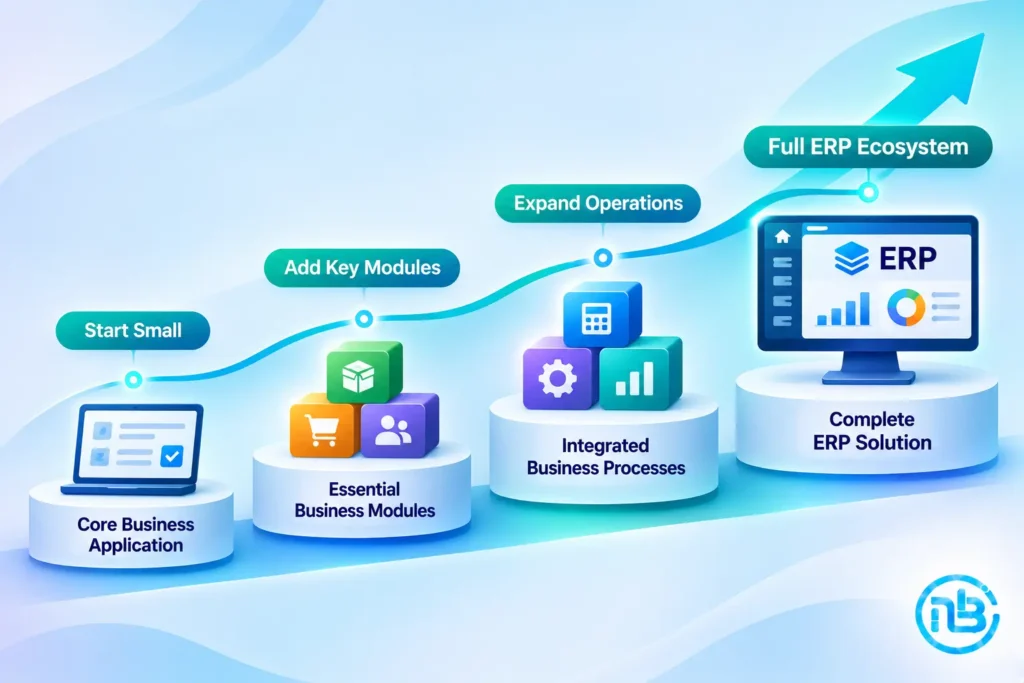
Instead, you can begin with the most important operational modules and expand gradually.
For example:
Phase One:
Centralized customer and order management.
Phase Two:
Inventory and purchase management.
Phase Three:
Finance and accounting integration.
Phase Four:
HR, approvals, and advanced reporting.
This approach can be implemented through an existing ERP with selected modules, integrations between applications, or a custom business application.
It allows the business to solve immediate problems without taking on the complexity of a large implementation from day one.
How Much Does an ERP Cost for an SME?
There is no single ERP implementation cost that applies to every SME.
The investment depends on several factors:
- Number of users
- Required modules
- Business complexity
- Deployment model
- Customization
- Data migration
- Integration requirements
- Training and support
A subscription-based ERP may have a relatively low starting cost, but additional users, modules, integrations, and implementation services can increase the total expense.
A custom ERP may require a larger initial development investment, particularly if it includes complex workflows and multiple modules.
Before choosing a solution, estimate the total cost over several years rather than comparing only the initial price.
Most importantly, compare that cost against the operational problems the ERP is expected to solve.
Common ERP Implementation Mistakes SMEs Should Avoid
Even a capable ERP platform can fail if implementation is poorly planned.
Here are some mistakes founders should avoid.
Implementing Too Many Modules at Once
Trying to digitize every department simultaneously can overwhelm employees and make implementation difficult.
Start with the most important business processes.
Ignoring Employee Requirements
Management may define the business objectives, but employees understand the operational challenges.
Involve the people who will use the system every day.
Migrating Unnecessary Data
Not every old spreadsheet or historical record needs to be transferred.
Clean and organize your data before migration.
Over-Customizing the ERP
Customizing every small detail can increase cost and make upgrades difficult.
Customize only where there is a genuine business requirement.
Ignoring Training
Employees need to understand how the new system works.
Without proper training, they may continue using old spreadsheets and manual processes.
Failing to Define Success Metrics
Before implementation, decide how you will evaluate the ERP.
For example:
- Reduced manual data entry
- Faster reporting
- Better inventory accuracy
- Fewer processing errors
- Improved visibility
- Reduced administrative effort
Without clear objectives, it becomes difficult to determine whether the investment was worthwhile.
A Practical ERP Readiness Checklist for Founders
Before investing in an ERP, ask yourself these questions.
- Are multiple departments maintaining separate versions of the same information?
- Do employees regularly enter the same data into different systems?
- Is management struggling to get accurate operational reports?
- Are inventory, procurement, or order processes becoming difficult to control?
- Are manual workflows creating delays or errors?
- Are existing software integrations insufficient?
- Have your business processes been documented and standardized?
- Can your business justify the implementation and ongoing costs?
If several of these issues are affecting your operations, it’s worth evaluating an ERP.
However, if your current systems are working well, there may be no reason to introduce additional complexity yet.
Frequently Asked Questions
No. An ERP is useful when a business needs to coordinate multiple departments and operational processes through a centralized system. Smaller businesses with simple requirements may operate effectively using accounting software, CRM platforms, spreadsheets, and integrations.
Consider ERP when disconnected applications, manual data entry, reporting difficulties, inventory problems, or departmental coordination issues begin affecting productivity and business decisions.
A CRM primarily manages customer relationships, leads, and sales activities. An ERP manages broader business operations such as finance, inventory, purchasing, and other departmental workflows. Some platforms offer both capabilities.
Not necessarily. Ready-made ERP software is often more suitable for businesses with standard requirements. Custom ERP development may be appropriate when specialized workflows, integrations, or business rules cannot be handled effectively by existing platforms.
Yes. Many businesses can introduce ERP modules in phases, beginning with their most important operational requirements and expanding as the business grows.
The cost depends on the platform, number of users, required modules, customization, integrations, data migration, training, and ongoing support. Businesses should evaluate the total cost of ownership rather than only the initial software price.
Conclusion
An ERP system can transform how an SME manages its operations, but it isn’t a mandatory investment for every growing business.
The right time to implement ERP is when the limitations of your existing systems begin affecting operational efficiency, reporting accuracy, coordination, and business growth.
Before making the decision, understand your processes, identify the actual problems, evaluate existing software, and calculate the long-term investment.
Sometimes, integrating your existing applications is enough.
Sometimes, a modular business application is the better starting point.
And sometimes, a full ERP is exactly what your business needs.
The important thing is to choose technology based on operational requirements rather than following what other businesses are doing.
At Notebrains, we help SMEs evaluate their software requirements and develop practical technology solutions, including custom business applications, ERP integrations, workflow automation, and connected software platforms.
The best ERP isn’t necessarily the one with the most features. It’s the one that solves the right problems for your business.